
Transect Planner
Turn survey planning into a quick task.
Use the transect planner to plan out a survey of a waterbody.
Create the Survey plan in a few easy steps.
1. Draw a line with the line tool and Save.
2. Draw a polygon around the Area of Interest and Save.
3. Give the survey a name, Spacing, a brief discription, and click the Generate Plan button.
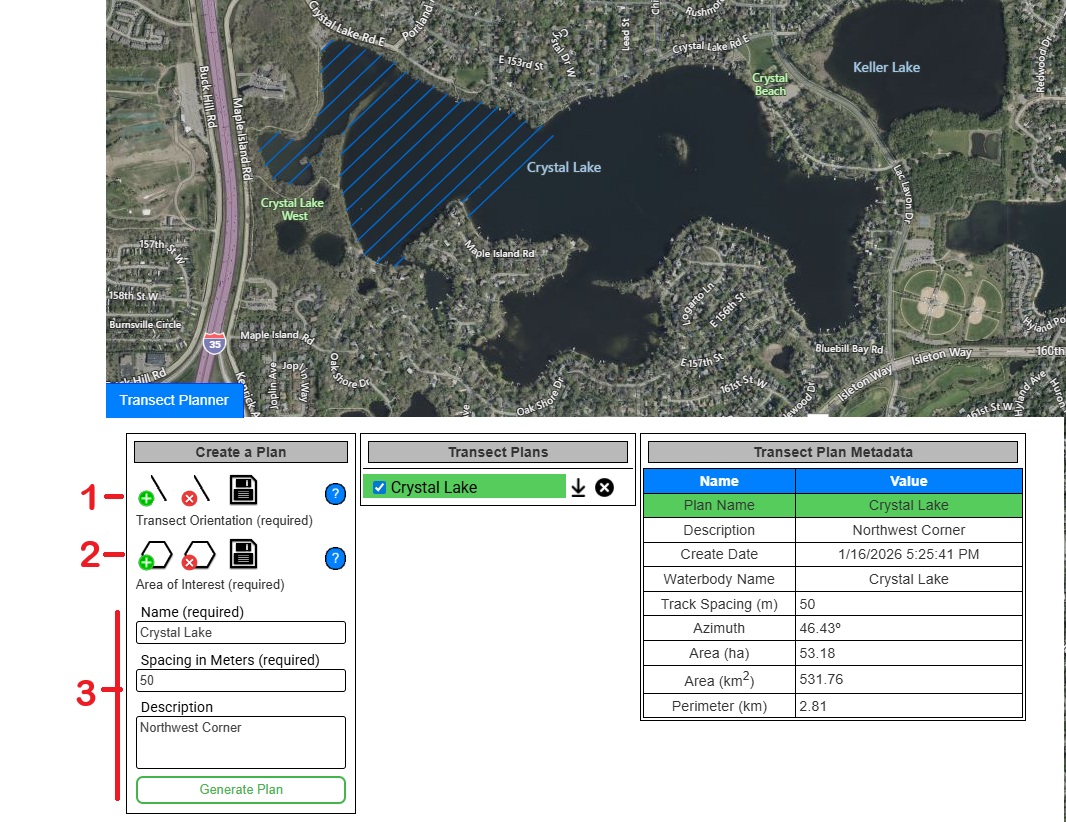
Once the plan is complete click the download button to save the GPX file to your computer that can be loaded to any device that supports GPX files.
Survey Toolkit
$299.99
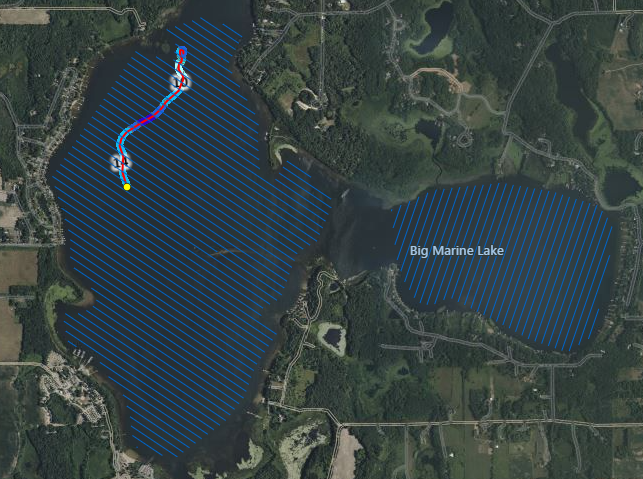
Plan systematic survey transects for your waterbody mapping projects. Generate optimal survey patterns and export waypoints for your GPS device. This planning tool is an optional add-on to any EcoSound™ subscription.